Getting Started
Requirements
Collins is a GTK4 app. You'll need:
- Python ≥ 3.10
- GTK ≥ 4.10, libadwaita ≥ 1.5, VTE (the GTK 4 build), GtkSourceView 5, libsoup 3 (the socket between the app and its service), and PyGObject
- markdown-it-py with linkify-it-py (the PR page's markdown parser — without them a PR's description falls back to plain text)
- Optional: libspelling (spell-check in the composer), GStreamer with its base plugins (the notification sound — without it the desktop's beep stands in), bubblewrap (sandboxed sessions — without it every session runs unsandboxed, and Preferences says why), and bindfs with fuse3 (a directory allowed to a sandboxed session reaches it while it runs — without either it applies at the session's next restart)
- The
claudeCLI on yourPATH
Optional, but worth having: the GitHub CLI (gh), signed in. It is what Collins asks about the pull requests your sessions open — state, CI, conflicts, unanswered comments — and what carries out everything the PR menus offer. Without it a pull request is a number and nothing else, and Collins says so on every launch that finds gh missing or signed out — until you install it, or tick Don't show this again.
The git page needs git alone — Collins draws the diffs itself.
Install the system libraries with your distro's package manager:
sudo apt install python3-gi gir1.2-gtk-4.0 gir1.2-adw-1 gir1.2-vte-3.91 gir1.2-gtksource-5 gir1.2-soup-3.0 python3-markdown-it python3-linkify-it gir1.2-spelling-1 gir1.2-gstreamer-1.0 gir1.2-gst-plugins-base-1.0 bubblewrap bindfs fuse3sudo dnf install python3-gobject gtk4 libadwaita vte291-gtk4 gtksourceview5 libsoup3 python3-markdown-it-py python3-linkify-it-py libspelling gstreamer1 gstreamer1-plugins-base bubblewrap bindfs fuse3sudo pacman -S python-gobject gtk4 libadwaita vte4 gtksourceview5 libsoup3 python-markdown-it-py python-linkify-it-py libspelling gstreamer gst-plugins-base-libs bubblewrap fuse3The packages from the spelling one on are optional. The spelling one (gir1.2-spelling-1 / libspelling) adds spell-check to the prompt composer; the two GStreamer ones play the notification sound for in-app notifications — without them Collins uses the desktop's beep instead, and says so under Preferences → Notifications → Sound; bubblewrap is what a sandboxed session's box is built with — without it the Sandboxed checkbox never appears and Preferences → Sandbox says so; bindfs and fuse3 (which brings fusermount3) are what a directory allowed to a sandboxed session is mounted into the running session with — without either it applies at the session's next restart, and Preferences → Sandbox says which it is. On Arch bindfs comes from the AUR. Collins runs fine without any of them, and the .deb and RPM only recommend them.
Install
Ubuntu — the episode6 PPA
The maintained channel on Ubuntu — Collins upgrades with the rest of your system from here:
sudo add-apt-repository ppa:episode6/stable
sudo apt install collins
The PPA covers Ubuntu 24.04 (noble) and 26.04 (resolute), and the derivatives that share them — Linux Mint, Pop!_OS, elementary OS, Zorin. Ubuntu 22.04 (jammy) is out of scope: it ships libadwaita 1.1 and GTK 4.6, and Collins uses APIs from libadwaita 1.5 and GTK 4.10.
It appears in your app grid as Collins, and the installed command is collins.
Already running Collins on Ubuntu from the .deb, PyPI or a checkout? The sidebar's ☰ menu offers Add the Ubuntu PPA… until the PPA is configured: it shows the commands above and runs them in a terminal of the current session, where sudo can ask for your password.
Fedora — the episode6 COPR
The maintained channel on Fedora — the same idea as the PPA, on dnf:
sudo dnf copr enable episode6/stable
sudo dnf install collins
The COPR builds for every current Fedora (new releases are added as Fedora branches them) and for RHEL 10 and its rebuilds — AlmaLinux 10, Rocky Linux 10, CentOS Stream 10 — whose base repositories carry everything Collins needs. RHEL 9 is out of scope (GTK 4.8, libadwaita 1.2).
As on Ubuntu, a Collins that came from PyPI or a checkout sees Add the Fedora COPR… in the sidebar's ☰ menu until the repository is configured — except on the image-based variants (Silverblue, Kinoite, Bazzite…), where dnf install doesn't apply and the item stays out.
RPM — direct download
The releases page also carries a binary noarch .rpm next to the .deb — the same package the COPR builds, for an RPM distro where enabling a COPR isn't wanted:
sudo dnf install ./collins-*.noarch.rpmIt adds no repository, so it does not update itself; the COPR does.
Debian — .deb
A Launchpad PPA can only ever serve Ubuntu, so on Debian — and the Debian-family distros that don't build on Ubuntu — the .deb is the way in. (On distros outside the Debian family entirely, use PyPI below.) Grab the latest from the releases page, or build it with ./scripts/build_deb.sh, then install it — dependencies are pulled in automatically:
sudo apt install ./collins_*_all.debA .deb installed this way adds no apt source, so it does not update itself — watch the releases page. Debian 13 (trixie) and newer have everything Collins needs; Debian 12 (bookworm) does not (libadwaita 1.2 against the 1.5 APIs).
PyPI — pipx or pip
Available everywhere, and the way in on a distro with no package of its own — Arch, openSUSE, and anything else without a channel above:
pipx install --system-site-packages collins   # or: pip install --user collins
collins --install-desktop                     # optional: add it to the app grid
--system-site-packages is not optional: Collins declares no PyPI dependencies on purpose, because PyGObject, GTK, VTE, GtkSourceView and the markdown parser come from your distro's packages (above). An environment that cannot see them exits on import gi the first time you run the app.
collins --install-desktop writes the launcher, app icon and metainfo under ~/.local/share for your user — the same three files the .deb installs system-wide. The sidebar menu offers the same thing as Install desktop icon, shown only when nothing has put Collins in your app grid yet. It is the only extra step: the toolbar and sidebar artwork ships inside the package.
From source
git clone https://github.com/episode6/collins.git
cd collins
python3 -m collins
To add a desktop launcher and icon for your user:
./data/install.shUpdating
Each channel updates its own way; none of them touches your sessions or your ~/.config/collins/ state, so an update is always safe mid-stream.
| Installed via | To update |
|---|---|
| Ubuntu PPA | Nothing special — sudo apt update && sudo apt upgrade (or your desktop's software updater) picks Collins up with everything else. |
| Fedora COPR | Likewise — sudo dnf upgrade (or GNOME Software) picks it up with everything else. |
Debian .deb | Download the new .deb from the releases page and install it over the old one the same way: sudo apt install ./collins_*_all.deb. apt treats it as an upgrade; settings stay put. |
.rpm download | Download the new one and sudo dnf install ./collins-*.noarch.rpm over the old. |
| pipx | pipx upgrade collins — the --system-site-packages flag you installed with is remembered by the venv, so it needn't be repeated. |
| pip | pip install --user --upgrade collins |
| From source | git pull in the checkout. The launcher from ./data/install.sh points at the checkout, so it needs no re-run. |
Restart Collins afterwards — a running instance keeps the old code until it is relaunched. The session service is a separate process and keeps its old code too: Quit leaves it (and every session) running, so after an upgrade use the main menu's Restart service (now, or when no session is busy; it resumes your open tabs) to run the new service. The window and a service one protocol version apart keep working together meanwhile. If sessions are still working and you only want the window on new code, Quit and relaunch.
First run
The first launch opens on a Before you start dialog. Collins runs Claude for you in a few places — naming new sessions, drawing project icons, renewing an expired login, and offering every session its built-in MCP tools — and this is where it says so, with the switch for each, before the first of those runs happens. The rows are the same ones Preferences shows under Token use and Built-in MCP tools, and they write as you toggle them: pick None for the session title model here if you would rather no prompt of yours went to a model unasked. Continue closes it, and it doesn't come back.
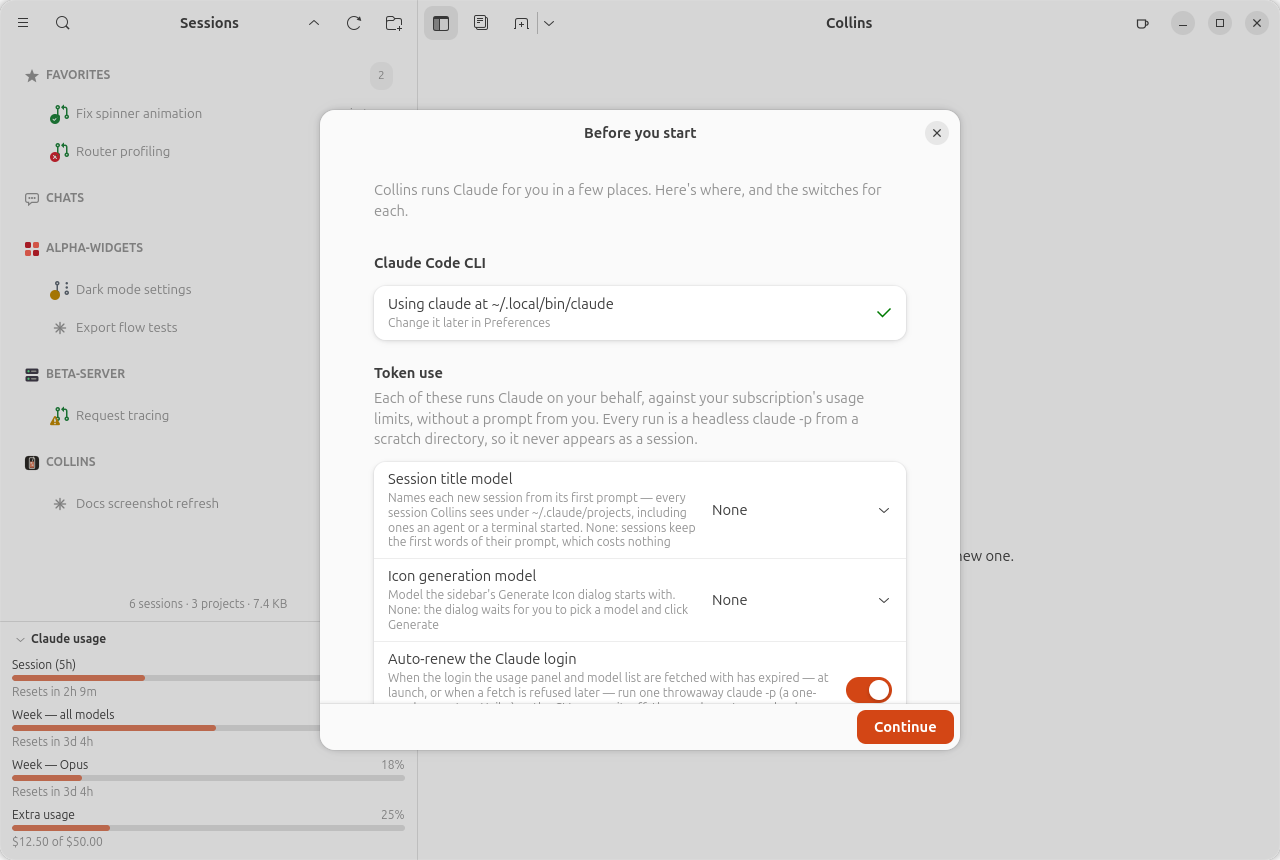
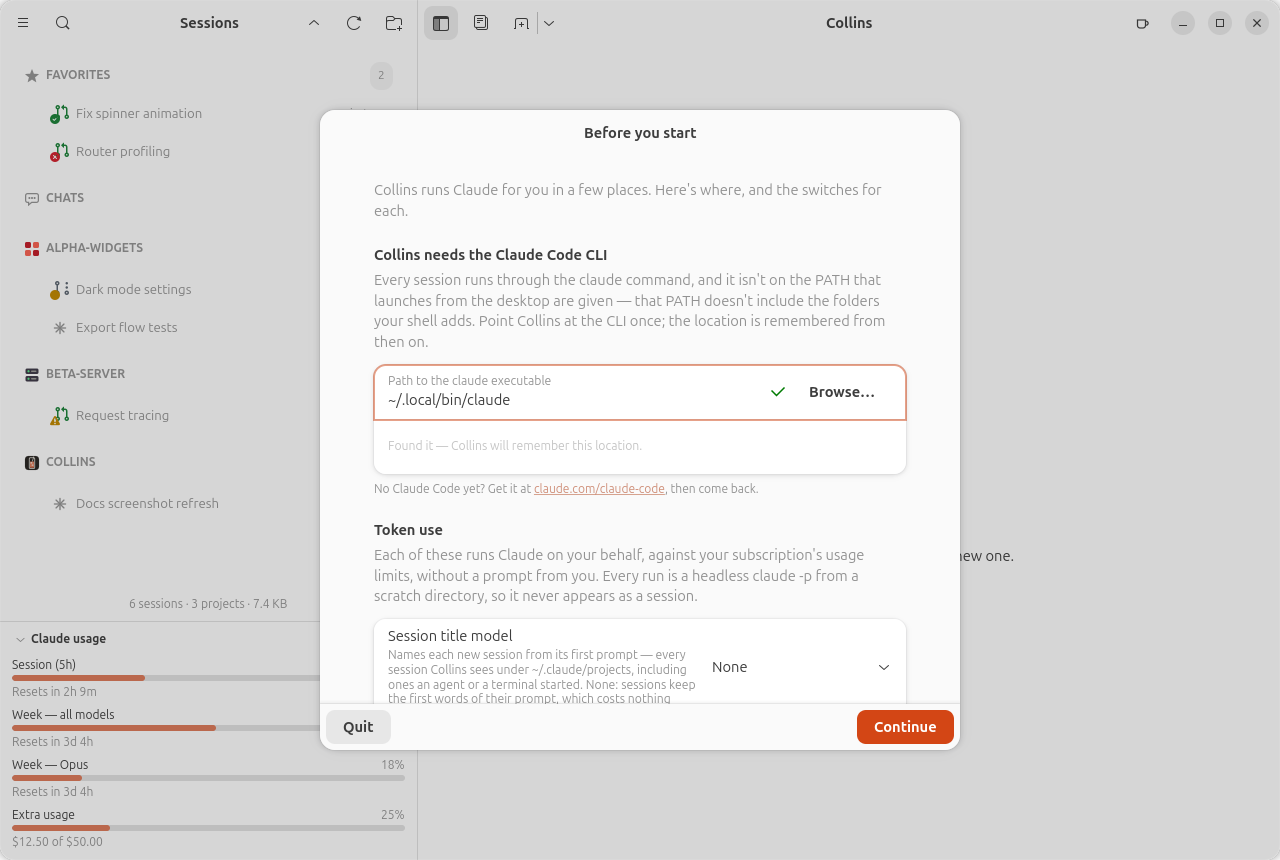
Its first group is the claude CLI. The CLI runs where Collins' service runs, so it is the service that looks for it: on its PATH, which takes your login shell's (and with it ~/.local/bin, where Claude Code's own installer puts its launcher), however the window was started. It names the one it found. When it finds none, the group is a path box instead: prefilled from the usual install locations on the service's machine when one of them has the CLI, with a Browse button and a live verdict beside it, both judged by the service. Point it at the stable launcher (usually ~/.local/bin/claude; a path with a version number in it is refused, since it would break on the CLI's next self-update). The location is remembered, and the row at the top of Preferences changes it later. There is no skipping this one — without the CLI there is nothing for Collins to manage — so until the path validates the dialog offers Quit instead.
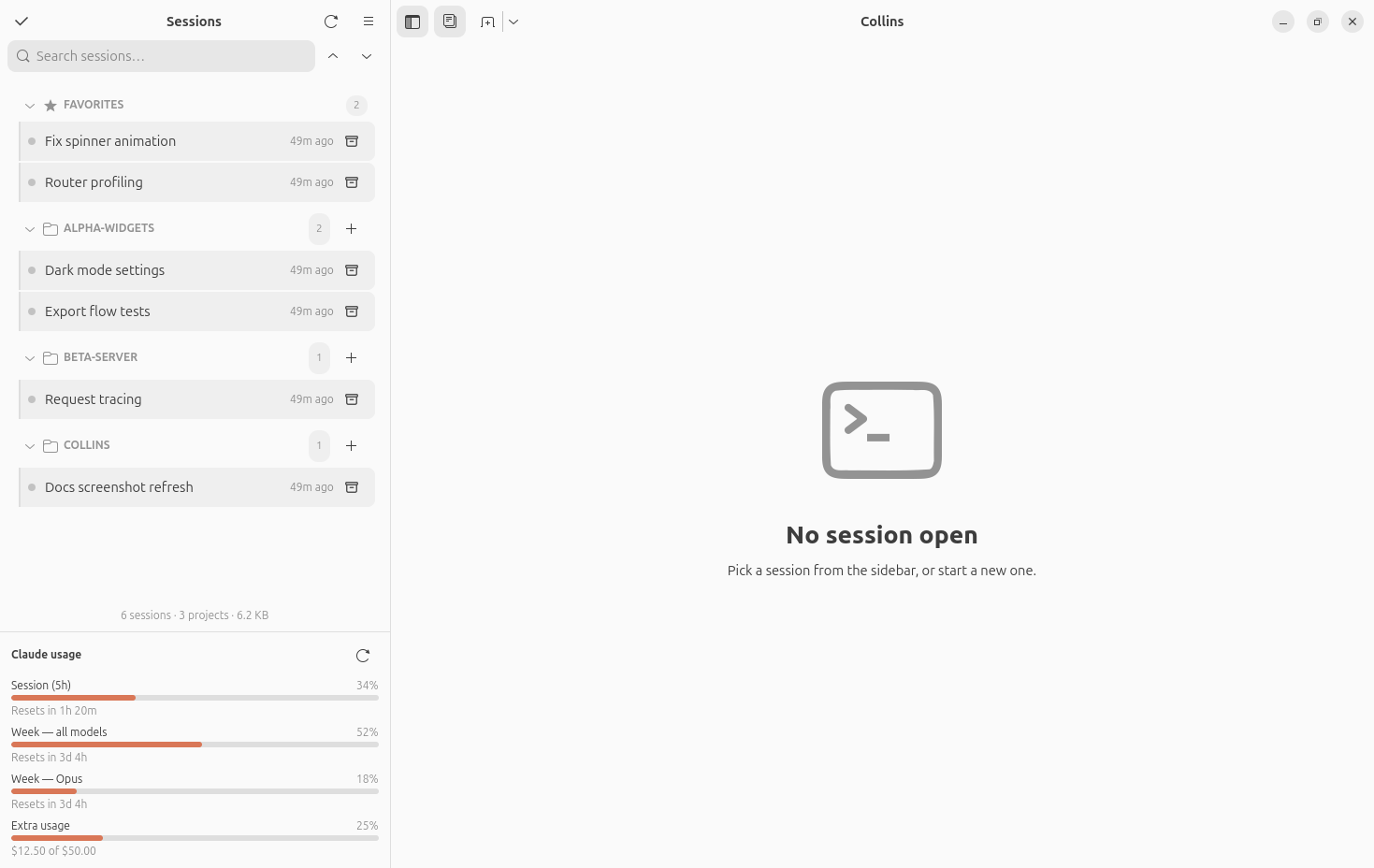
Behind it the sidebar lists every session found under ~/.claude/projects/, with all groups collapsed. Each session is given an auto-generated title (locally, from its first prompt), so you see names instead of UUIDs right away. Expand a project, click a session, and it opens in a terminal tab that resumes it. If you haven't used Claude Code yet, start a session right from the app — the New Session button (Ctrl+Shift+T) asks for a project folder and opens a new-chat screen where you write the first prompt; Send launches claude there (Empty Session, with nothing written, launches it with no prompt) — or run claude in a project yourself and the session will show up automatically.
Later launches start with no session open by default. Turn on Reopen the last session (Preferences → Session behavior) and the app instead reopens the session you had focused when you closed the window.